draw
Helpers for the schematics that notebooks draw with manim.
A schematic is a still:
render_still turns mobjects into a PNG that mo.image shows.
The other helpers build the mobjects a network diagram needs.
Each one below has a small demo.
def render_still(*mobjects, width=9.0, height=7.0, per_unit=150) -> bytes:
    """PNG bytes of the mobjects on a white frame width x height long,
    drawn at per_unit pixels per unit."""

    class Still(mn.Scene):
        def construct(self):
            self.add(*mobjects)

    with mn.tempconfig(
        {
            "background_color": mn.WHITE,
            "frame_width": width,
            "frame_height": height,
            "pixel_width": int(width * per_unit),
            "pixel_height": int(height * per_unit),
            "save_last_frame": True,
            "output_file": "still",
            "progress_bar": "none",
        }
    ):
        Still().render()
    newest = max(
        CACHE.glob("images/**/still*.png"), key=lambda p: p.stat().st_mtime
    )
    return newest.read_bytes()
render_still renders mobjects as a still PNG.
manim builds LaTeX when a mobject is made,
so this module sets manim's media_dir once on import,
and the PNG comes from that folder.

def node(label, at, color, *, radius=0.3, ring=None):
    """A circle at (x, y) with a LaTeX label.
    Solid in color with white text, or, given a ring width,
    a paper circle with a ring of color."""
    circle = mn.Circle(
        radius=radius,
        color=color,
        stroke_width=ring or 4,
        fill_color=color if ring is None else PAPER,
        fill_opacity=1,
    )
    # Text scales with the circle so a label always fits.
    text = mn.MathTex(
        label,
        color=mn.WHITE if ring is None else INK,
        font_size=100 * radius,
    )
    return mn.VGroup(circle, text).move_to(np.append(at, 0.0)[:3])
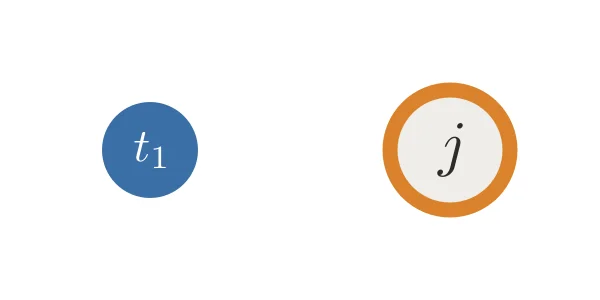
node is a circle with a LaTeX label, solid or ringed.
mo.image(
    render_still(
        node("t_1", (-1, 0), BLUE),
        node("j", (1, 0), ORANGE, radius=0.4, ring=10),
        width=4,
        height=2,
    ),
    width=200,
)
def arrow(src, dst, color, *, slot=(0, 1), dashed=False):
    """An arrow from the rim of node src to the rim of node dst.
    Arrows that end on one node take different slots (n, of),
    so their heads land at different heights.
    A dashed arrow marks a connection that is set aside."""
    n, of = slot
    a, b = src[0].get_center(), dst[0].get_center()
    r_a, r_b = src[0].width / 2, dst[0].width / 2
    heights = np.linspace(0.55 * r_b, -0.55 * r_b, of) if of > 1 else [0]
    aim = b + np.array([0, heights[n], 0])
    toward = (aim - a) / np.linalg.norm(aim - a)
    # The line from a toward aim first meets dst's circle here.
    along = (b - a) @ toward
    off = np.linalg.norm((b - a) - along * toward)
    end = a + (along - np.sqrt(r_b**2 - off**2)) * toward
    start = a + (r_a + 0.06) * toward
    if dashed:
        return mn.DashedLine(
            start, end, color=color, stroke_width=4, dash_length=0.12
        ).add_tip(tip_length=0.22, tip_width=0.22)
    return mn.Arrow(
        start,
        end,
        buff=0,
        color=color,
        stroke_width=4,
        tip_length=0.22,
        max_tip_length_to_length_ratio=1,
    )
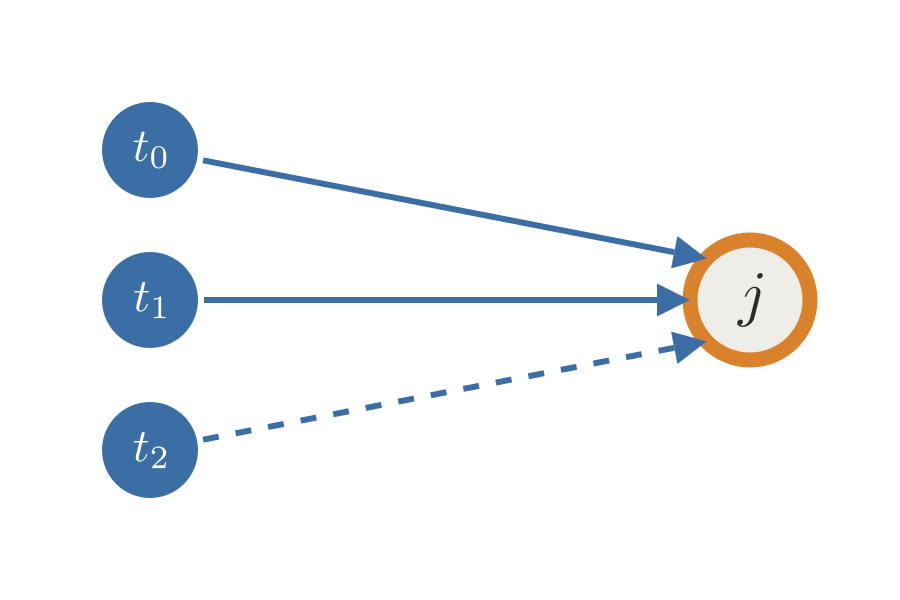
arrow runs from rim to rim.
Arrows that end on one node take different slots,
so their heads do not stack.
A dashed arrow marks a connection that is set aside.
_target = node("j", (2, 0), ORANGE, radius=0.4, ring=10)
_senders = [node(f"t_{_n}", (-2, 1 - _n), BLUE) for _n in (0, 1, 2)]
mo.image(
    render_still(
        *_senders,
        _target,
        *[
            arrow(_s, _target, BLUE, slot=(_n, 3), dashed=_n == 2)
            for _n, _s in enumerate(_senders)
        ],
        width=6,
        height=4,
    ),
    width=300,
)
def label_on(line, text, color, *, at=0.3, shift=(0, 0)):
    """A LaTeX label on a white patch, at a fraction of the way along
    a straight line, so lines that cross it do not run through the
    text."""
    label = mn.MathTex(text, color=color, font_size=30).move_to(
        (line.get_start() + at * (line.get_end() - line.get_start()))
        + np.append(shift, 0.0)[:3]
    )
    return mn.VGroup(
        mn.BackgroundRectangle(
            label, color=mn.WHITE, fill_opacity=0.9, buff=0.04
        ),
        label,
    )
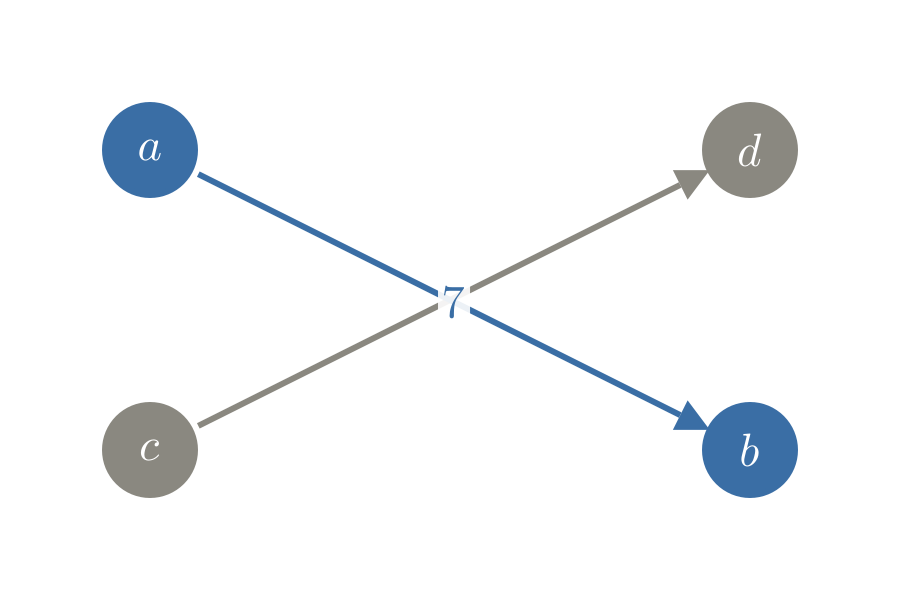
label_on puts a label on an arrow, on a white patch
so a line that crosses it does not run through the text.
_a, _b = node("a", (-2, 1), BLUE), node("b", (2, -1), BLUE)
_c, _d = node("c", (-2, -1), GRAY), node("d", (2, 1), GRAY)
_ab = arrow(_a, _b, BLUE)
mo.image(
    render_still(
        arrow(_c, _d, GRAY),
        _ab,
        label_on(_ab, "7", BLUE, at=0.5),
        _a,
        _b,
        _c,
        _d,
        width=6,
        height=4,
    ),
    width=300,
)
def bracket(x, top, bottom, color):
    """A thin bracket at x from top to bottom that opens to the right,
    to mark a group of nodes."""
    corners = [(x + 0.1, top), (x, top), (x, bottom), (x + 0.1, bottom)]
    return mn.VMobject(color=color, stroke_width=2).set_points_as_corners(
        [[cx, cy, 0] for cx, cy in corners]
    )
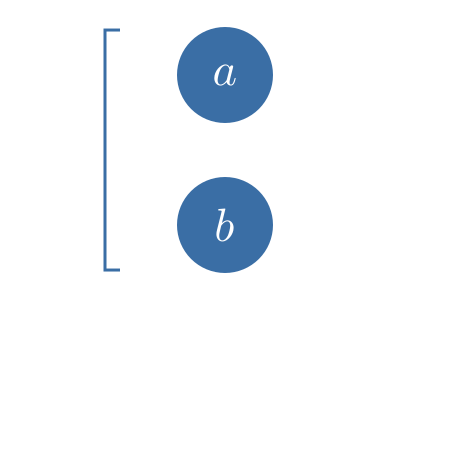
bracket marks a group of nodes.
_nodes = [node("a", (0, 1), BLUE), node("b", (0, 0), BLUE)]
mo.image(
    render_still(
        *_nodes, bracket(-0.8, 1.3, -0.3, BLUE), width=3, height=3
    ),
    width=150,
)
def fade(mobject, opacity=0.4):
    """Dim strokes and fills of mobject to opacity.
    Shapes without a fill stay without one; set_opacity would fill
    an arc and turn it into a D."""
    for part in mobject.family_members_with_points():
        part.set_stroke(opacity=opacity)
        if part.get_fill_opacity() > 0:
            part.set_fill(opacity=opacity)
    return mobject
fade dims a mobject.
The left arc is dimmed with manim's set_opacity,
which also fills it and turns the arc into a D;
the right one is dimmed with fade.
_arcs = [
    mn.Arc(radius=1, angle=mn.PI, color=BLUE, stroke_width=6).move_to(
        [_x, 0, 0]
    )
    for _x in (-1.5, 1.5)
]
_arcs[0].set_opacity(0.4)
fade(_arcs[1], 0.4)
mo.image(render_still(*_arcs, width=6, height=2), width=300)